 Inkback
The page reloaded.
Your words stayed.
Inkback is a Chrome extension that keeps a copy of what you type, on your own computer. When a form times out, a tab crashes or a site swallows your draft, click back into the box and take it back.
Free. No account. Version 1.0.0, a 280 KB download.
Try it: edit the answer, then reload the page.
It works while you ignore it.
Saves as you type
Comment boxes, application forms, support tickets, email, AI prompts. Anything longer than a line is kept, on every site, with nothing to switch on.
Offers it back where you lost it
Click into the box that came back empty and a Restore button appears beside it. One click, and the text is where it was.
Keeps a searchable history
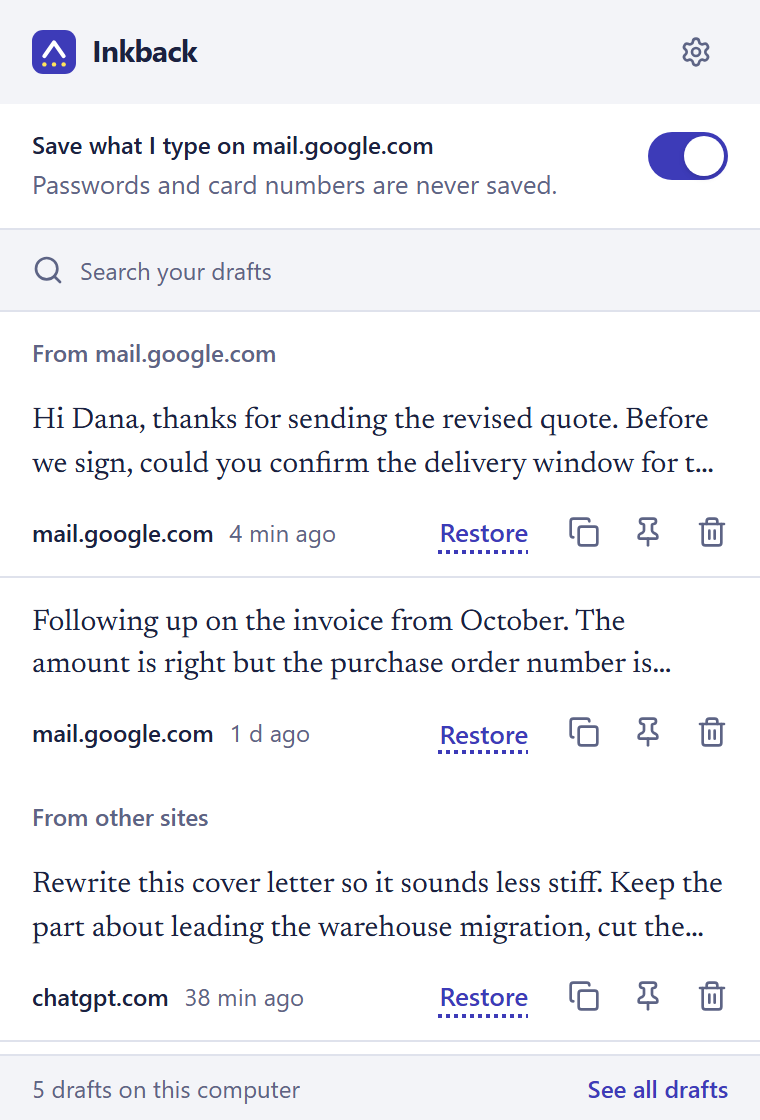
Open Inkback from the toolbar to search everything you wrote in the last week, put a draft back into the page, or copy it somewhere else.
Knows sent from lost
A message you sent is kept in history but never offered back. Checked by hand on Gmail and ChatGPT.
What it never keeps.
- Passwords, including ones you switch to "show".
- Card numbers, security codes and one-time codes.
- Email, phone and number fields.
- Anything you type in an Incognito window.
- Anything on a site you block, such as your bank.
- Anything at all while you have it paused.
Your drafts stay in your browser. Inkback has no server and no account, and it makes no network requests, so there is nowhere for your writing to go.
Drafts are deleted automatically after 7 days, or sooner if you choose. The full details are in the privacy policy.
Install it in a minute.
-
Download and unzip
Download inkback-1.0.0.zip and extract it to a folder you will keep, such as Documents.
-
Open the extensions page
Type
chrome://extensionsin the address bar and turn on Developer mode, top right. -
Load the folder
Click Load unpacked and choose the folder you extracted. A short welcome page opens.
A Chrome Web Store listing is on the way. Once it is approved, this page will offer a one-click install instead. Works in Chrome 137 or newer, and in Microsoft Edge.
Free, with a Pro licence to come.
Free
Saving, restoring, search, blocked sites and 7 days of history. This does not expire.
Pro, a one-time purchase
History for up to a year or forever, pinned drafts, and export to Markdown or JSON. On sale here after the store launch.
Is this a keylogger?
No. It reads only the text boxes you type into, skips passwords and payment fields, stores the text in your browser, and has no ability to send it anywhere: its own security policy forbids network connections.
Why does Chrome warn that it can read data on all websites?
Because it has to run wherever you type in order to save your text. That permission is what every tool of this kind needs. What matters is what happens to the data, and here it never leaves your computer.
Where does it not work?
Google Docs and other editors that draw their own text keep their own history and are not captured. Rich editors are restored as plain text, without formatting.
I used Typio or Lazarus. Is this the same idea?
Yes. Both of those have stopped working or left the store. Inkback is a new extension built for current versions of Chrome.